
Documentation
Getting Started
For Organizers
For Coaches / Clubs
For Athletes
Register athletes for a tournament
There are two ways to enter a tournament: a team entry via Excel (the whole team at once) or one by one through the form on the site.
Video guide
Step 1. Find the tournament
Open the tournament catalogue and pick an upcoming competition.
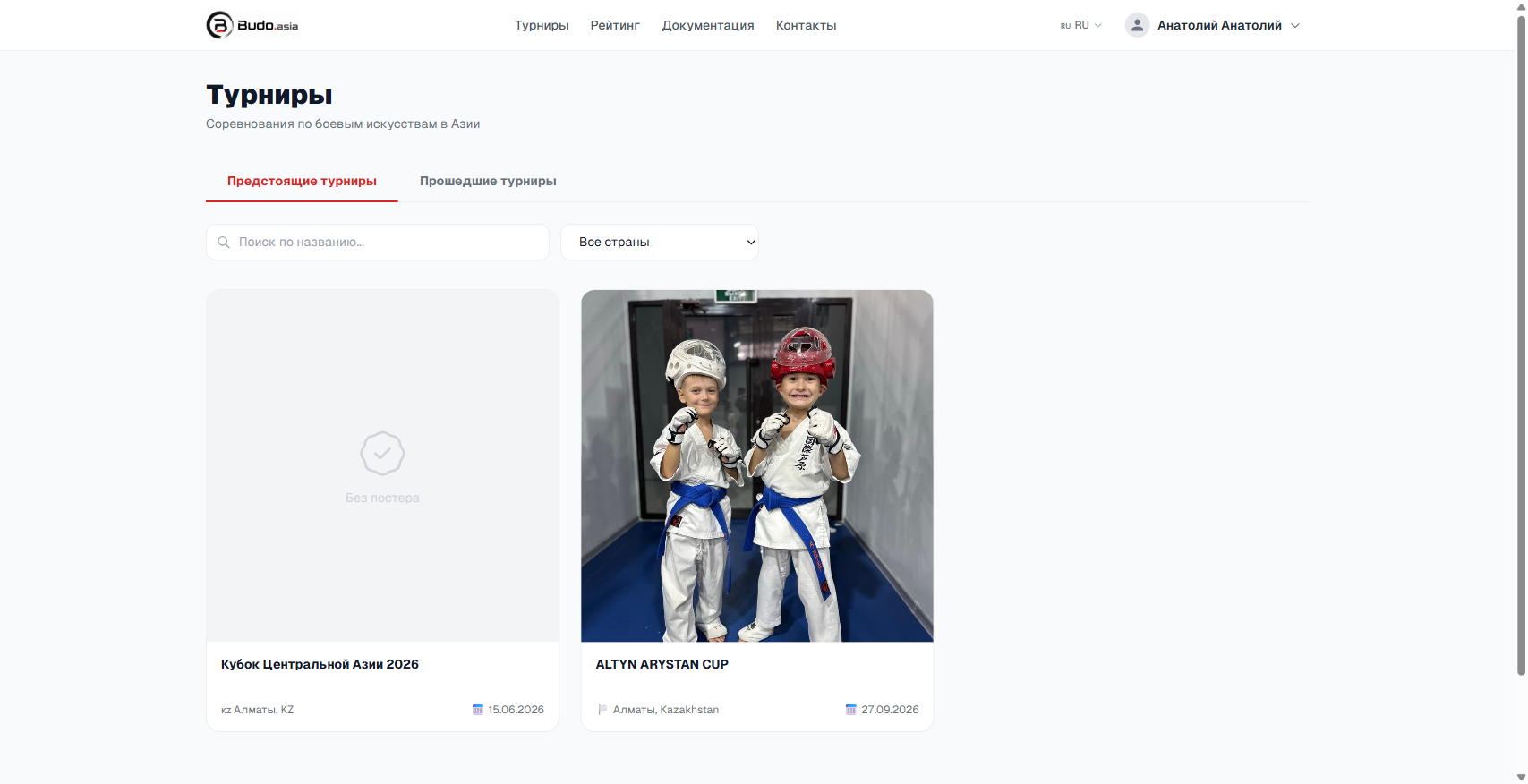
Tournament catalogue — the “Upcoming tournaments” tab
Open the tournament page. The registration block with the dates and buttons is shown on the right.
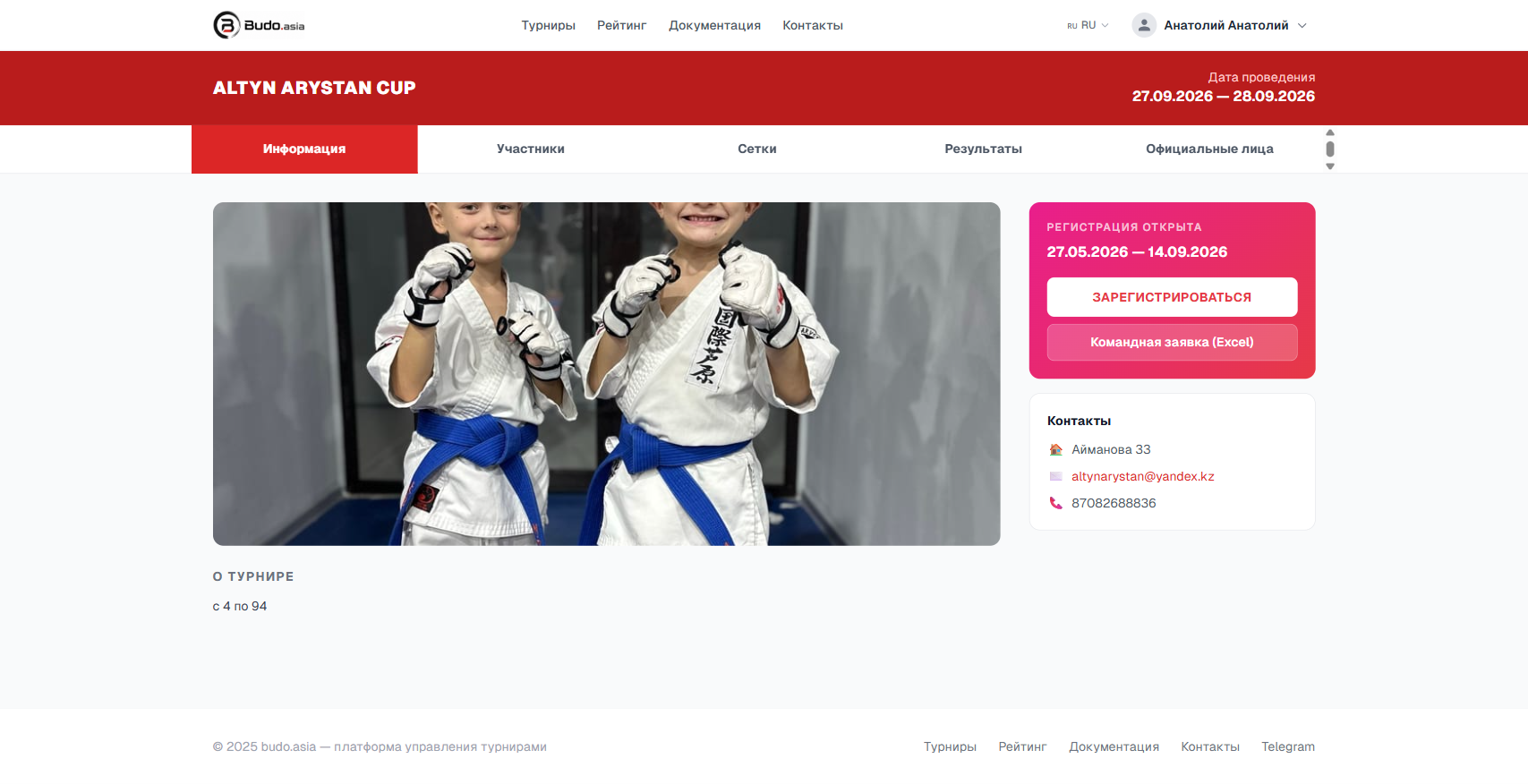
Registration block on the right — the “Register” and “Team entry (Excel)” buttons
Option A: Team entry via Excel (recommended)
Best for teams of three or more. Registers the whole team in one go.
- Click the “Team entry (Excel)” button.
- In the window that opens click “Download Excel template”.
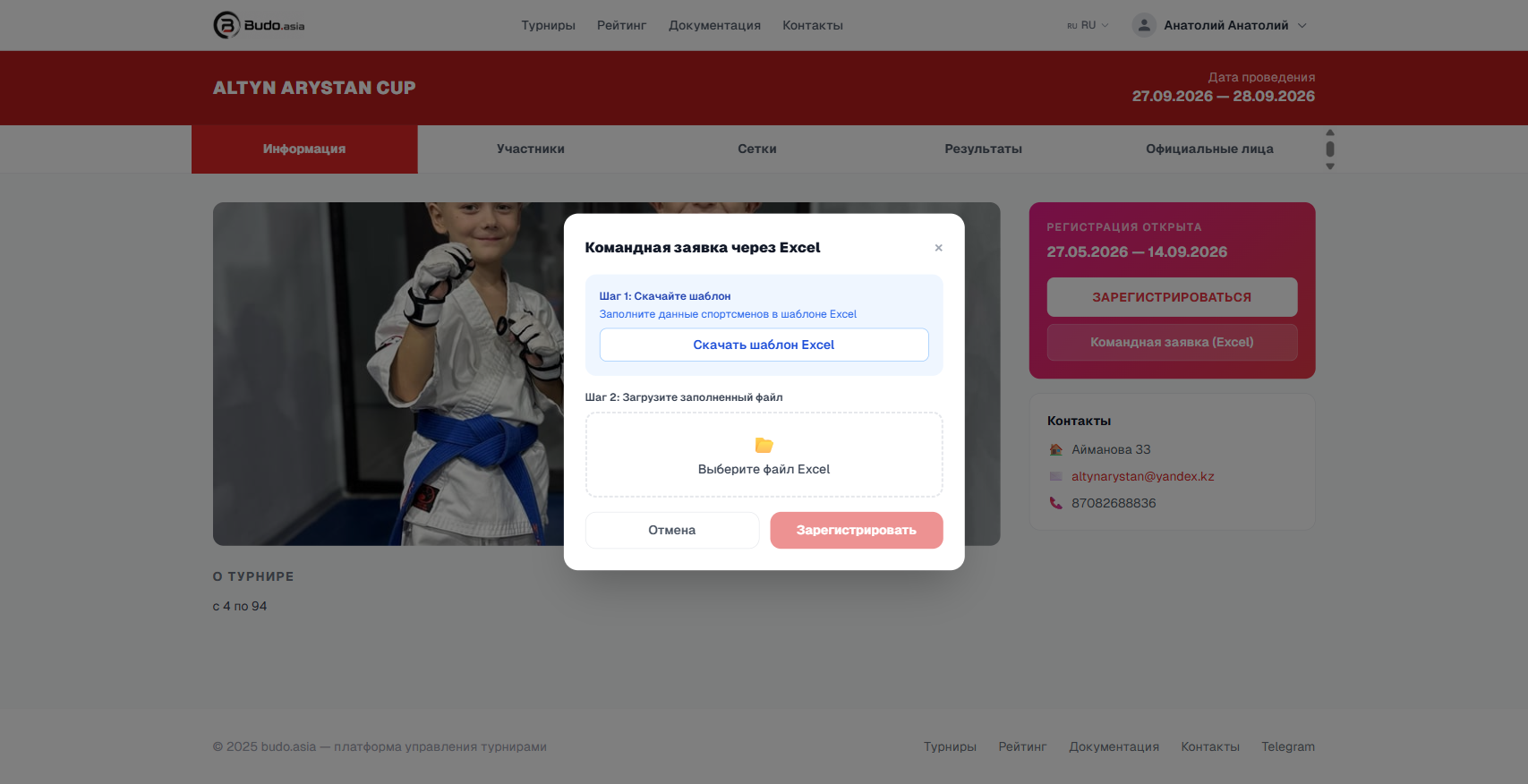
The “Team entry via Excel” window — first download the template, then upload the completed file
- Open the downloaded file
participants_template.xlsx. Starting from row 5, fill in the athletes’ details:- Surname * and First name * — required fields
- Date of birth — DD.MM.YYYY format (for example, 15.05.2010)
- Weight (kg) and Height (cm)
- Category * — exactly as named in the tournament (the list is in row 2 of the template)
- Country, Club/School, Coach
- Grade — optional
- Save the file.
- Click “Team entry (Excel)” again and choose the saved file in the “Select an Excel file” field.
- Click “Register”. The system processes the file and reports how many participants were added and which rows contain errors.
💡 Tips
- The first four rows of the template are service rows — do not delete them.
- Rows with an empty surname and first name are skipped automatically.
- If a category name does not match, the row is skipped with an error.
Option B: Register one by one
- On the tournament page click “Register”.
- Fill in the participant details: name, date of birth, country, category, weight, height.
- Click “Register” in the form.
- Repeat for every athlete.
Option C: The organiser adds them manually
If the organiser uses closed registration, contact them directly (contact details are on the tournament page). They will add the participants through the control panel.
Where to see the registered athletes
Once the entry is submitted, the participants appear on the “Participants” tab of the tournament page. The status of the entry (accepted / awaiting confirmation) depends on the organiser’s settings.