
Documentation
Getting Started
For Organizers
For Coaches / Clubs
For Athletes
Getting started — Coach
On budo.asia a coach keeps the list of their athletes and enters them into tournaments on their behalf. Below is a step-by-step guide from signing up to the first entry.
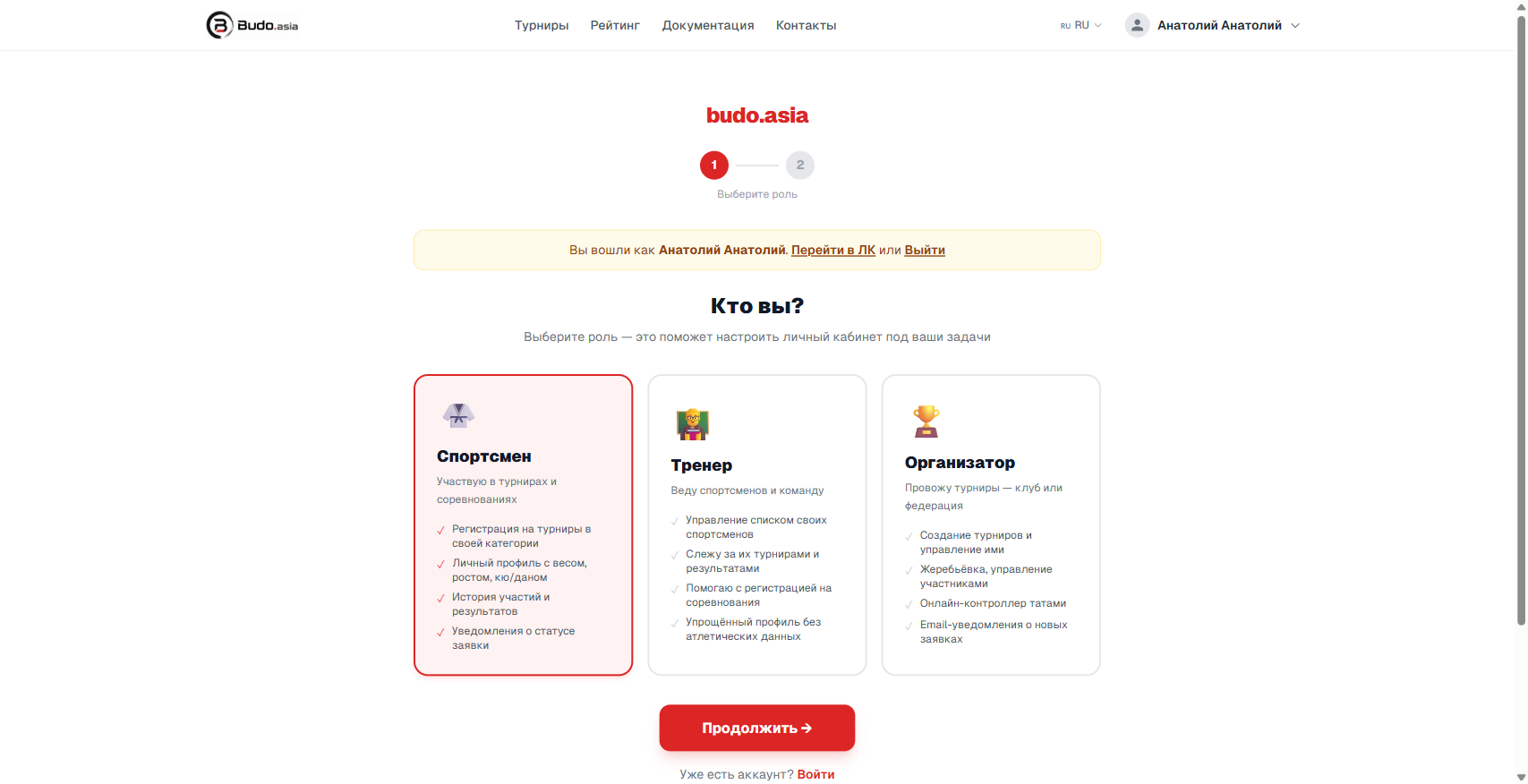
Step 1. Create an account
Go to the sign-up page and choose the Coach role.
Step 2. Fill in your account details
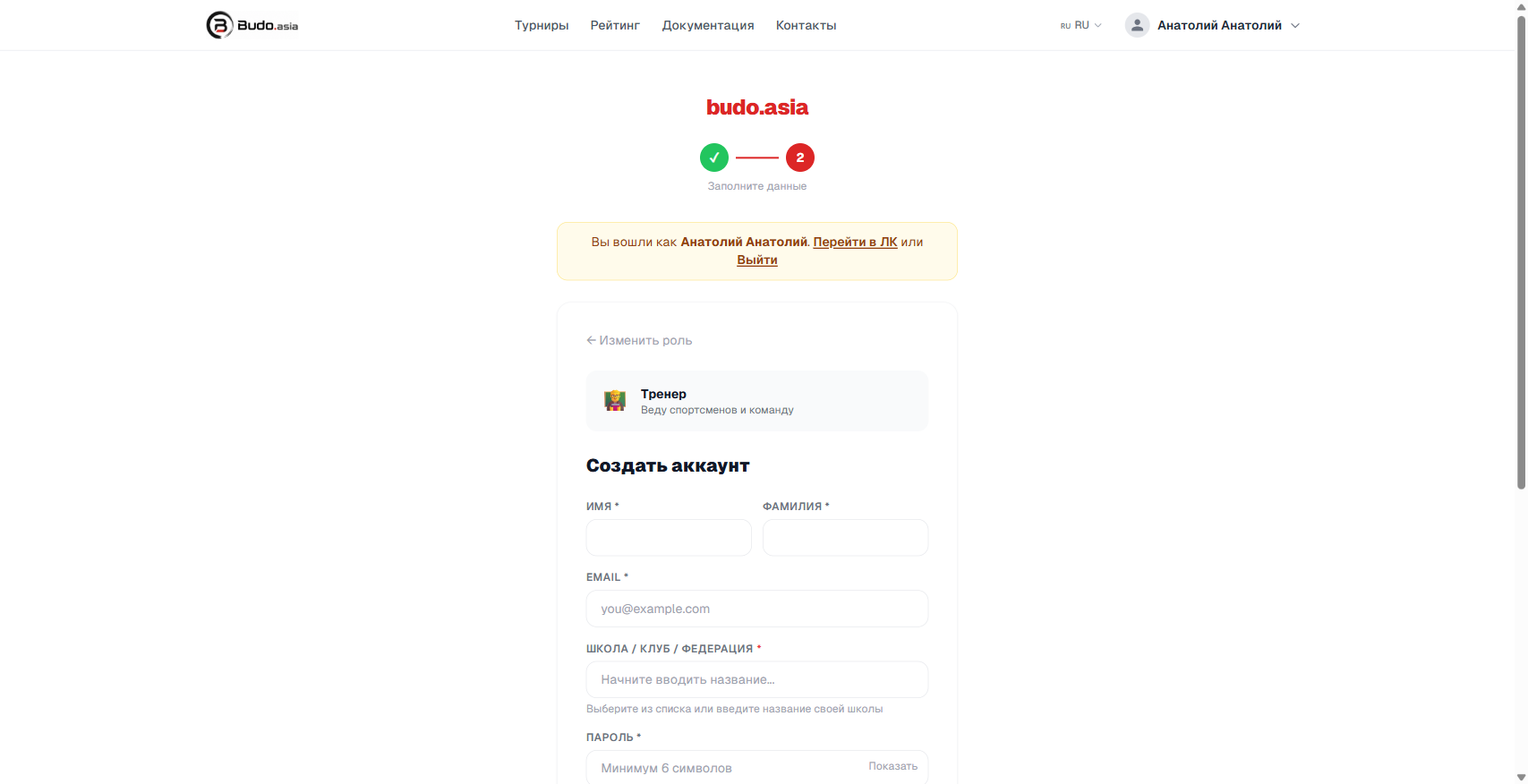
On the next step enter:
- First and last name
- Email — the confirmation letter goes there
- School / Club / Federation — the name of your club or school (start typing, pick one from the list or enter your own)
- Password — at least 6 characters
⚠️ Important
Confirm your email after signing up — without it you cannot enter athletes into tournaments. The letter arrives within a few minutes.
Step 3. Fill in the coach profile
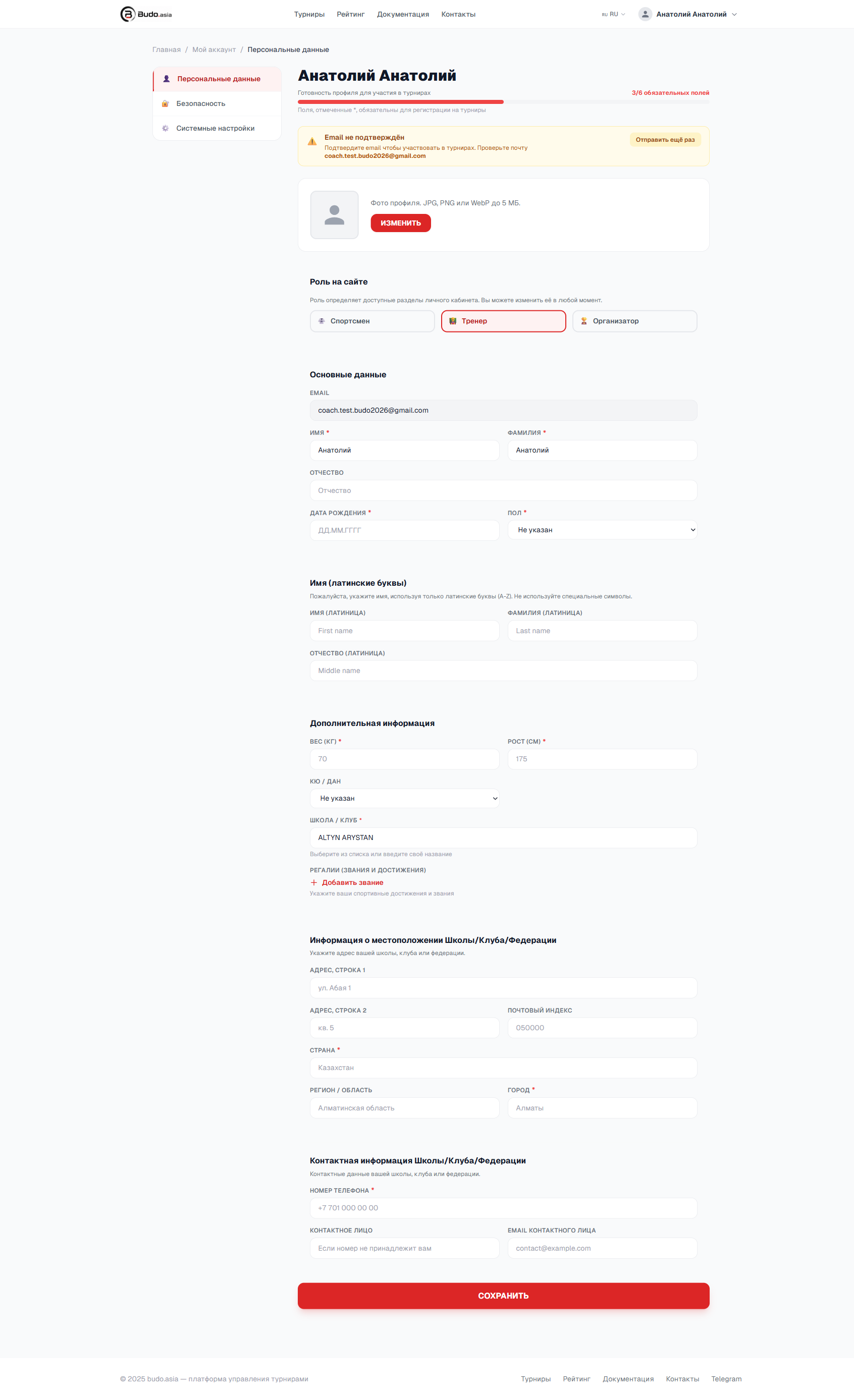
In your account → Personal data fill in:
- Date of birth and gender
- Name in Latin letters (needed for international tournaments)
- Address and contacts of the school or club
The fuller the profile, the faster organisers approve your entries.
Step 4. Add athletes
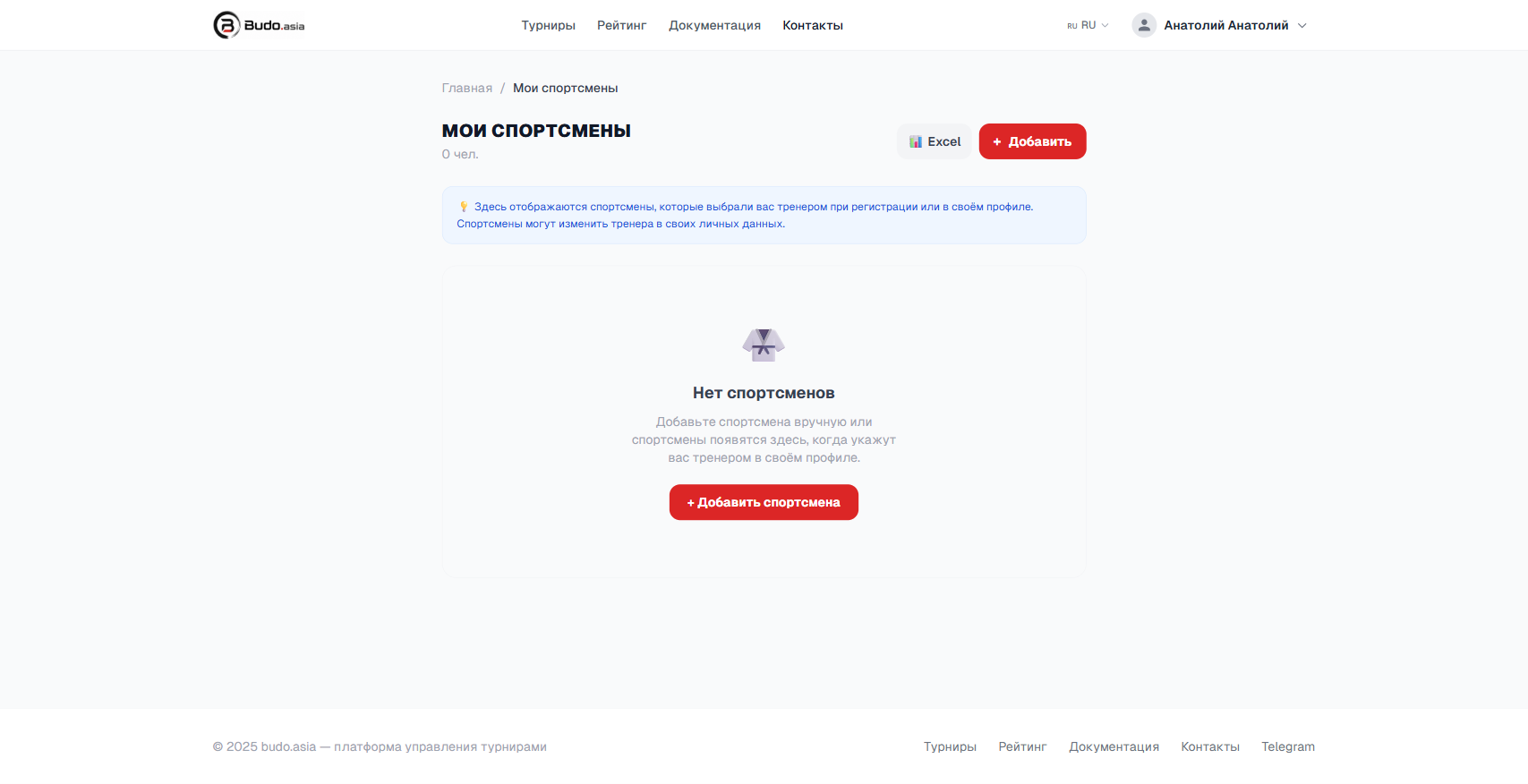
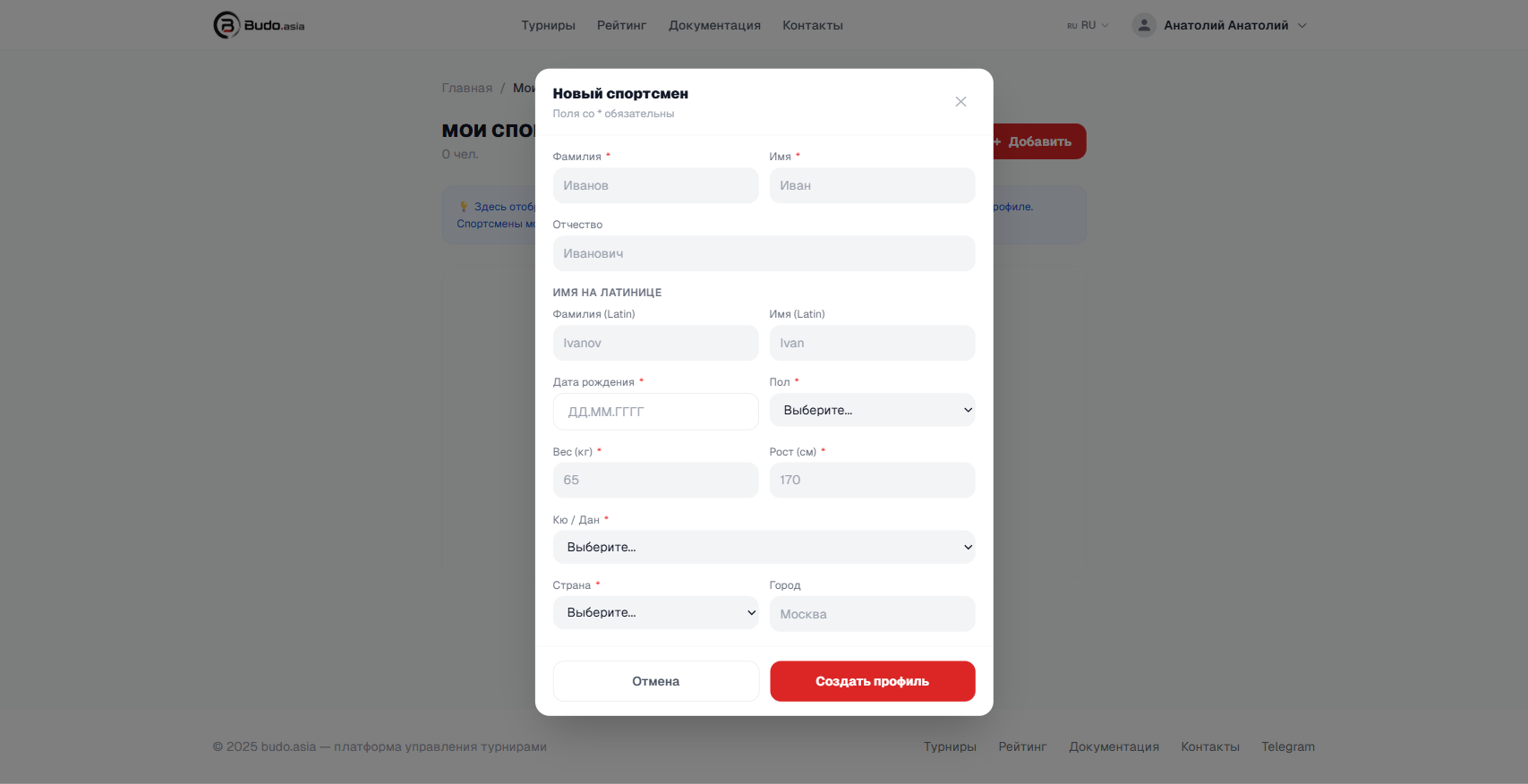
Go to My athletes and press + Add.
In the window that opens fill in the athlete’s details:
- Last and first name (in Cyrillic and in Latin letters)
- Date of birth, gender
- Weight, height, kyu/dan
- Country
💡 Tip
If the athlete already has a budo.asia account, they can name you as their coach in their own profile. After that they appear in your “My athletes” list automatically.