
Documentation
Getting Started
For Organizers
For judges
For Coaches / Clubs
For Athletes
Fight controller
The fight controller is the judge's screen on a kumite tatami. It opens from a link on a laptop or tablet, with no registration or sign-in. The called bout, the score, the time and the winner go straight to the hall scoreboard, the live stream and the tournament record.
How to open the controller
- The organizer gives you the link or QR code: they create them on the Controllers page — see Judge access.
- A tatami link opens one tatami. The multi-link 🌐 All tatami (for head judge) opens every tatami of the tournament as tabs — it is for the head judge and the secretary.
- Choose the controller language from the list in the top right corner; this browser remembers it.
- If kata is put on the tatami, the same link opens the kata controller by itself.
Queue and calling a bout
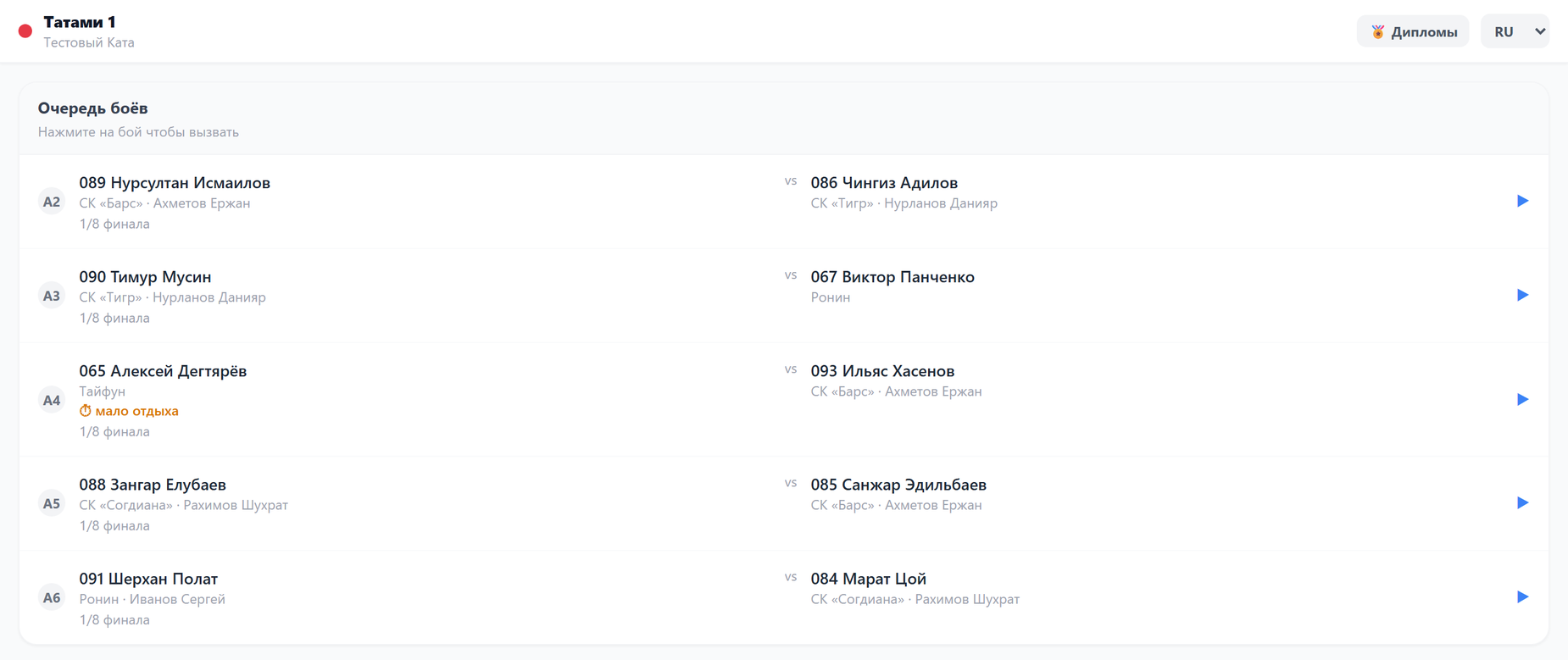
While there is no bout on the tatami, the controller shows the Fight queue. Bouts go by tatami numbers (A2, A3…); each fighter has a start number, club and coach, with the round below. Tap a bout to call it: the pair appears on the hall scoreboard, and if hall announcements are on, it is called by voice.
- ⏱ little rest — someone in the pair was on the tatami recently and has not had time to rest.
- ↗ … currently called on «…» — the fighter competes in several categories and is called on another tatami right now.
These marks are hints, not a ban: the judge decides whether to call the bout or wait. When the tatami's bouts run out, the controller shows All bouts are finished.
Bout in progress
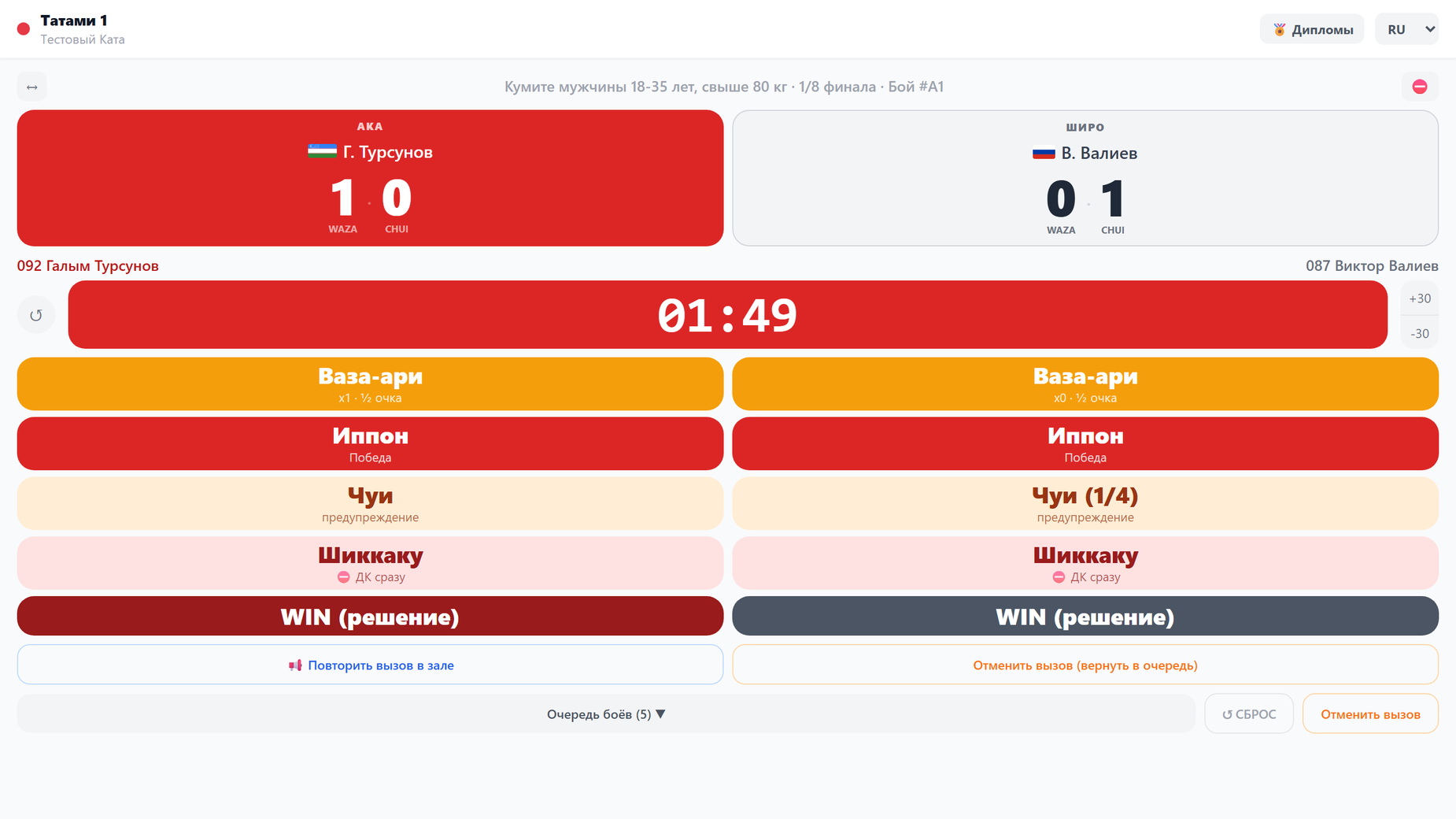
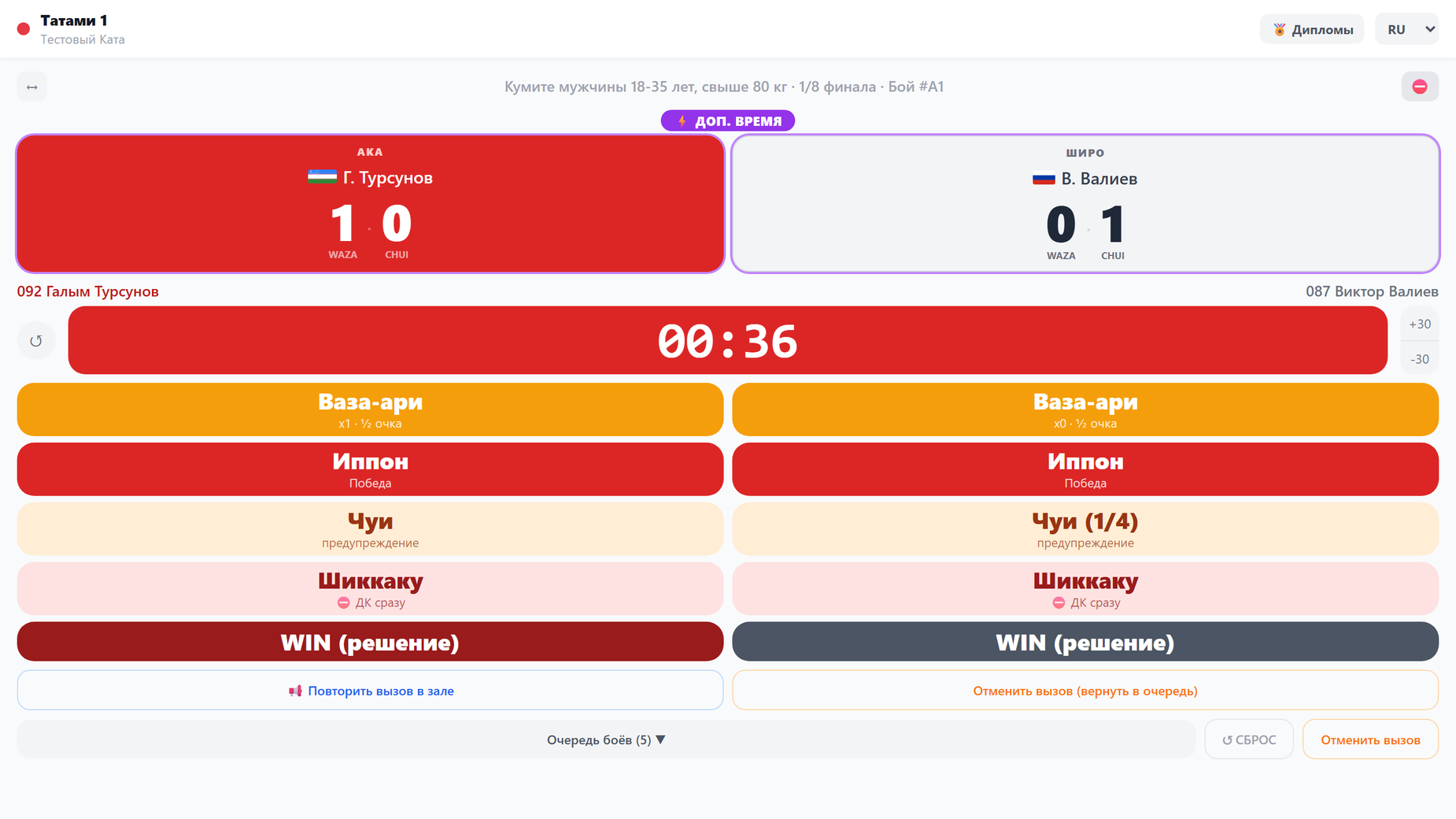
Above the score are the category, the round and the bout number. The panels show each side's waza-ari and chui: red is AKA, grey is SHIRO.
- ↔ swaps AKA and SHIRO — they swap on the hall scoreboard too.
- Tapping the clock starts and stops the time. ↺ on the left resets the time to the start; +30 and -30 change the bout length while the clock is stopped.
- The time from the controller goes to the hall scoreboard and the stream by itself — there is no need to start it anywhere else.
Judging buttons
The buttons stand in two columns, each under its own side. A win is recorded at once, without a question:
- Waza-ari — half a point; a second waza-ari adds up to ippon and ends the bout. The button shows how many there already are: x1.
- Ippon — a clean win.
- Chui — a warning; the fourth gives the win to the opponent. The count is on the button too: Chui (1/4).
- Shikkaku — disqualification in the bout, the win goes to the opponent.
- WIN (decision) — a win by the judges' decision, for example when time is up.
A single press cannot be undone. If a point was given by mistake, press ↺ RESET at the bottom of the screen: the bout result is cleared, the bout returns to the queue, and it can be called and fought again.
The tournament's own rules
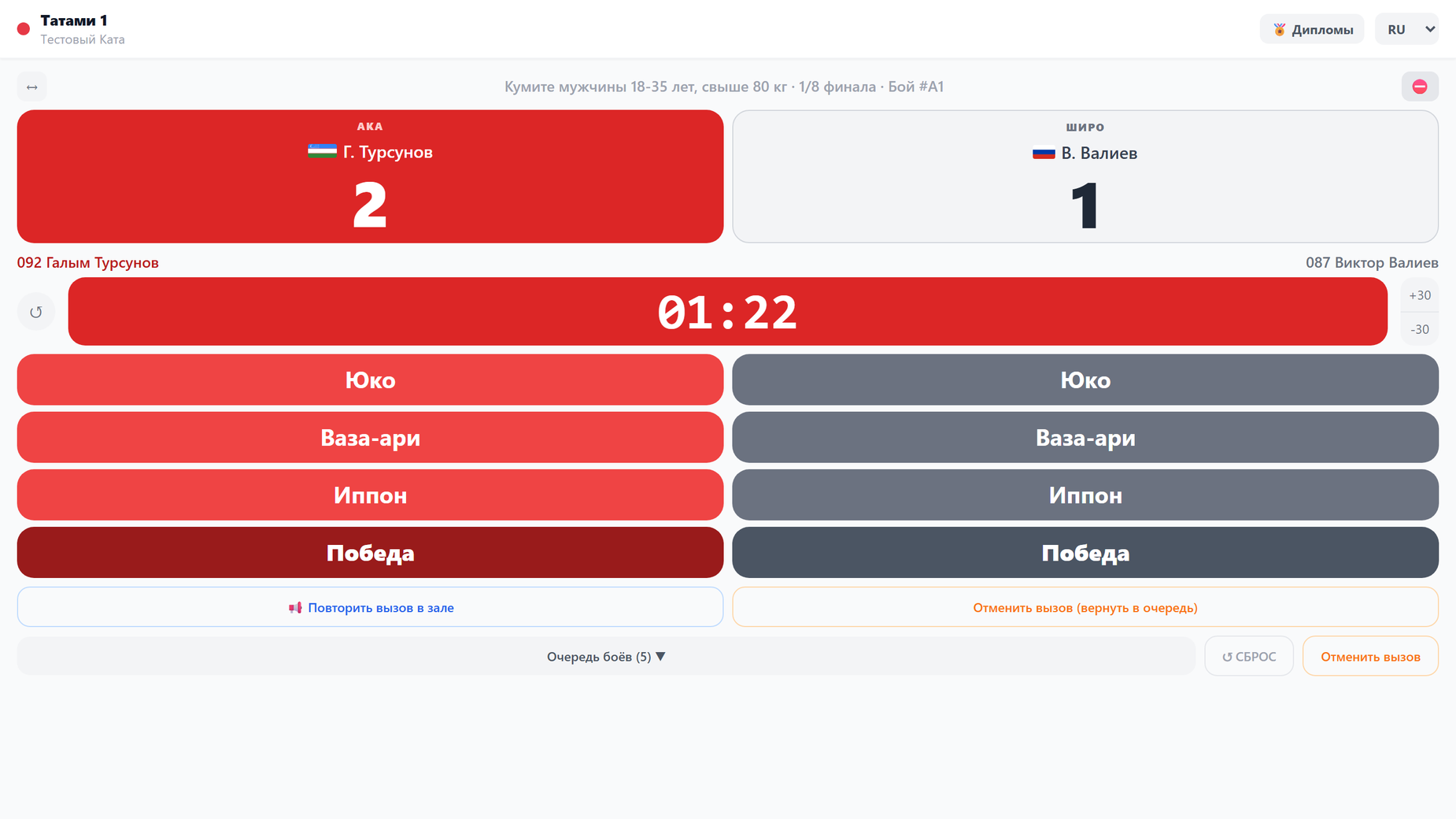
If the organizer has set custom rules for the tournament, the controller shows their buttons instead of the KBDK ones, and the panels show each side's total points. The Win button under a side declares the winner.
Overtime
When the main bout time is up, the ⚡ Overtime button with the round length appears under the timer. It prepares an overtime round; the time starts, as usual, by tapping the clock.
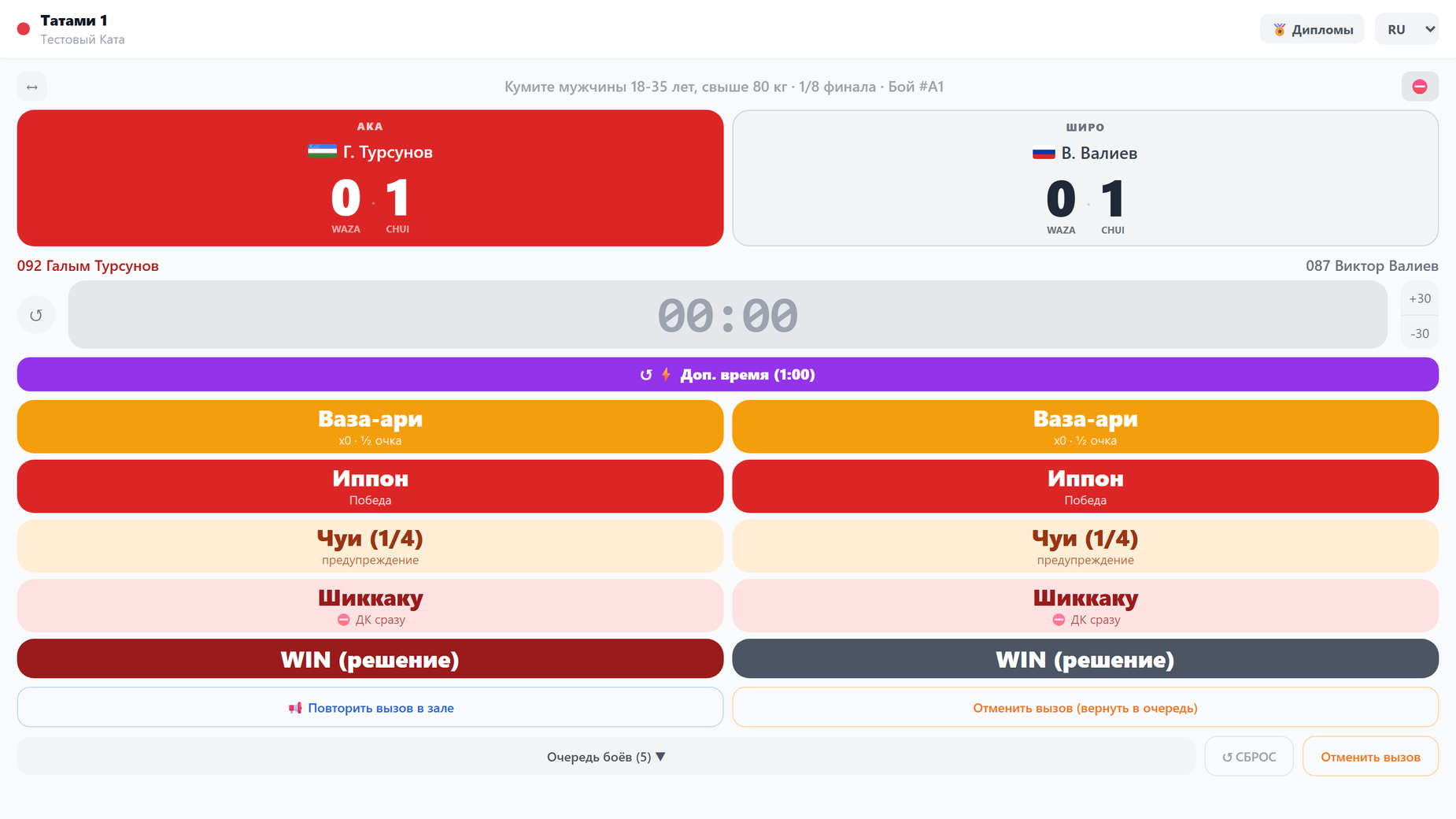
- The round has its own score from zero; the panels are outlined and marked ⚡ Overtime. The hall scoreboard shows the round score too.
- The rules are the same: a second waza-ari or a fourth chui within the round ends the bout.
- If the round also ends without a winner, ⚡ Overtime 2 appears at zero, then ⚡ Overtime 3.
Winner
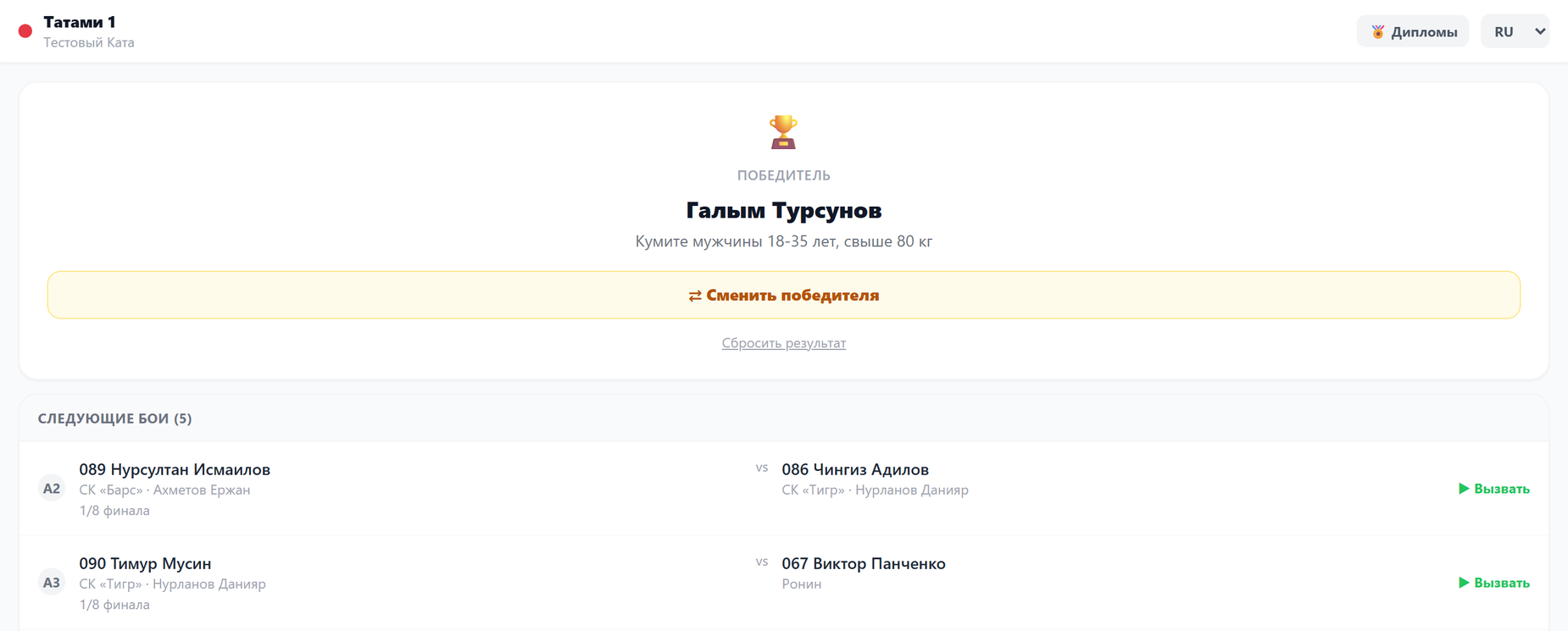
After a win the controller shows the winner and Next bouts — the next bout is called with the Call button next to it.
- ⇄ Change winner — if the win went to the wrong fighter. The controller warns that bouts of the following rounds with the former winner will be cancelled. You can change it while the next bout has not been called on the tatami and the next round has not been judged; after that the organizer decides in the log.
- Reset result — the bout returns to the queue without a result.
Repeating and cancelling the call
- 📢 Repeat the call in the hall — the announcement plays once more. It sounds in the hall — on the summary scoreboard or on the Controllers page; the controller itself stays silent.
- Cancel call — the bout returns to the queue; the controller asks for confirmation.
- While a bout is in progress, another bout from the queue cannot be called — in the collapsed queue it is marked Fight in progress. First record the result or cancel the call.
Withdrawing a fighter
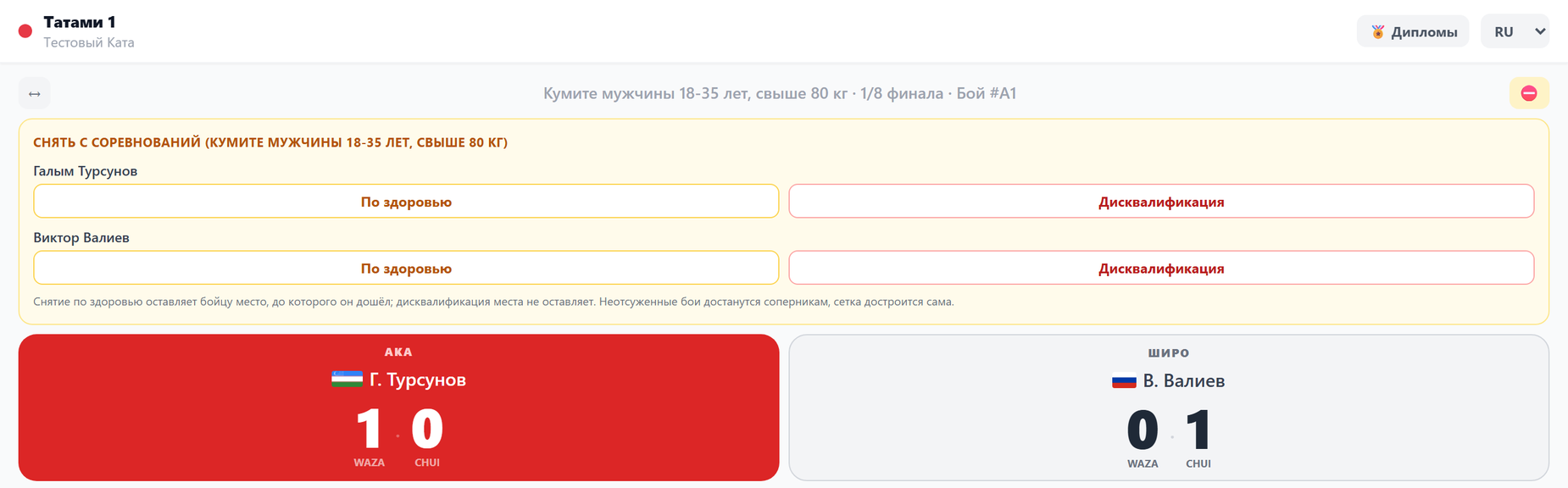
If a doctor withdraws a fighter or the fighter is disqualified, press ⛔ above the score and choose the reason for that fighter: Medical or Disqualification. The controller asks for confirmation.
- The fighter's unjudged bouts in this category go to the opponents, and the bracket completes itself.
- A medical withdrawal keeps the place the fighter reached; disqualification leaves no place.
- The controller withdraws a fighter only from this category. If they have entries in other categories, the controller tells you — the organizer withdraws those.
- Withdrawn by mistake — bring the fighter back in the same panel with the Bring back button; wins given to opponents are cancelled.
Diplomas
The 🏅 Diplomas button in the controller header opens the medallists of this tatami's categories and the mark for filled-in diplomas. Details are in Diplomas.
If the screen fails
On an error, instead of a white screen you see the Judge screen failure window. The score and results are stored on the server, so nothing is lost: press Continue, and if that does not help, Reload. Show the error text from the window to the organizer.