Documentation
Getting Started
For Organizers
For judges
For Coaches / Clubs
For Athletes
Diplomas
Medallists of every category get diplomas. The platform collects them from the fight results and kata scores and prepares an A4 sheet for each — on the standard blank or on your own.
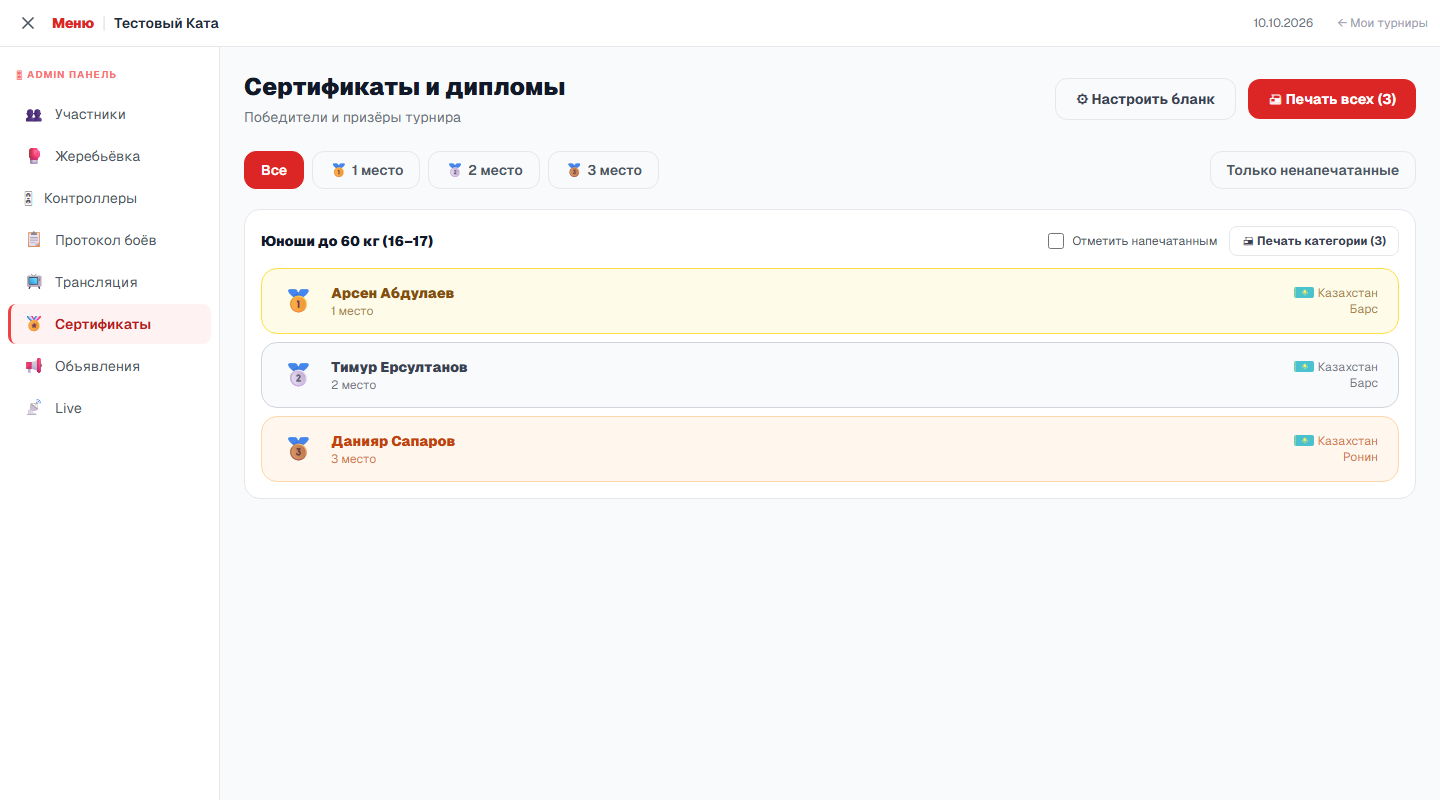
List of medallists
Open Admin panel → Certificates. Medallists are grouped by category, with place, country and club; a category appears in the list as soon as its places are decided. At the top there is a filter by place and the Unprinted only button.
- Print all — sheets for every medallist currently shown in the list: the place filter applies, and printed categories are left out if they are hidden.
- Print category — sheets for one category.
- Mark as printed — a checkbox next to the category. Tick it after printing: with Unprinted only on, the category leaves the list and its sheets are not repeated next time. Printing itself does not set the mark.
Standard blank
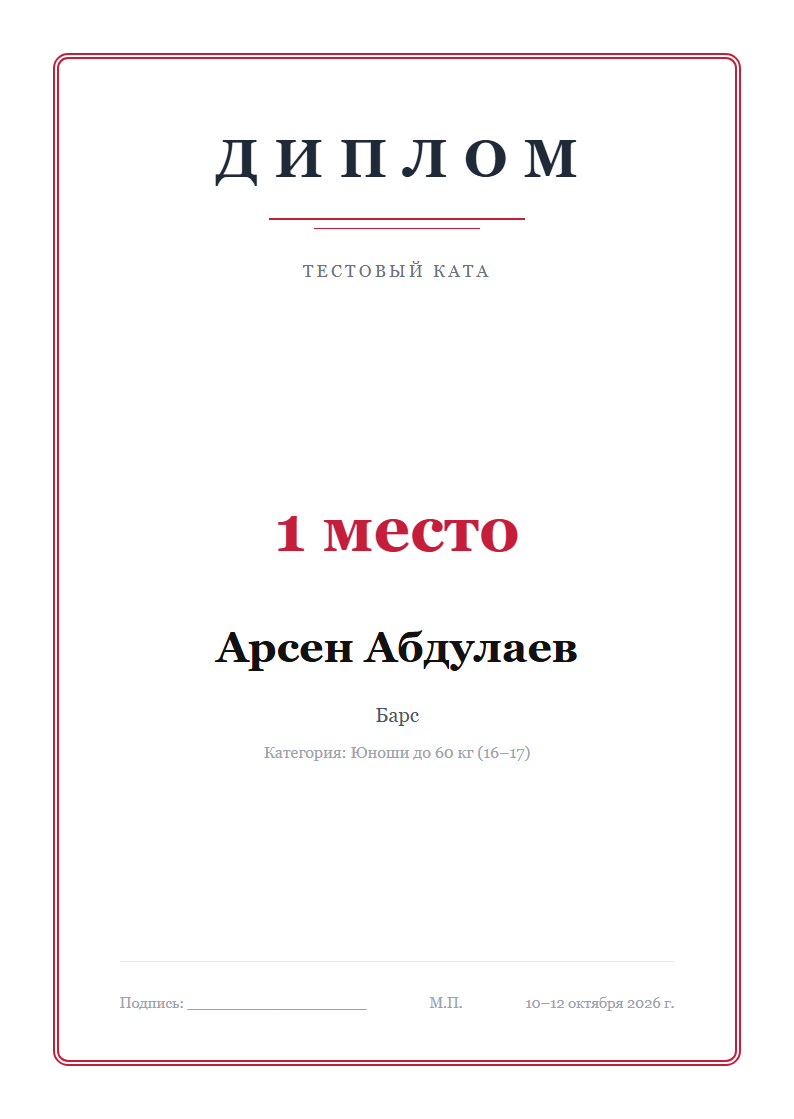
Until you upload your own blank, diplomas are printed on the standard one: a frame, the tournament name, place, name, club and category, and at the bottom room for a signature and stamp and the tournament dates. The print buttons open the sheets as a separate page; Print / PDF sends them to the printer, and to get a file choose “Save as PDF” in the print window.
Your own blank
If the tournament has its own blank — with a logo, the federation crest, signatures — upload it as a picture, and the platform will print names and places on top of it. Open Settings → Certificate or click Set up blank on the certificates page.
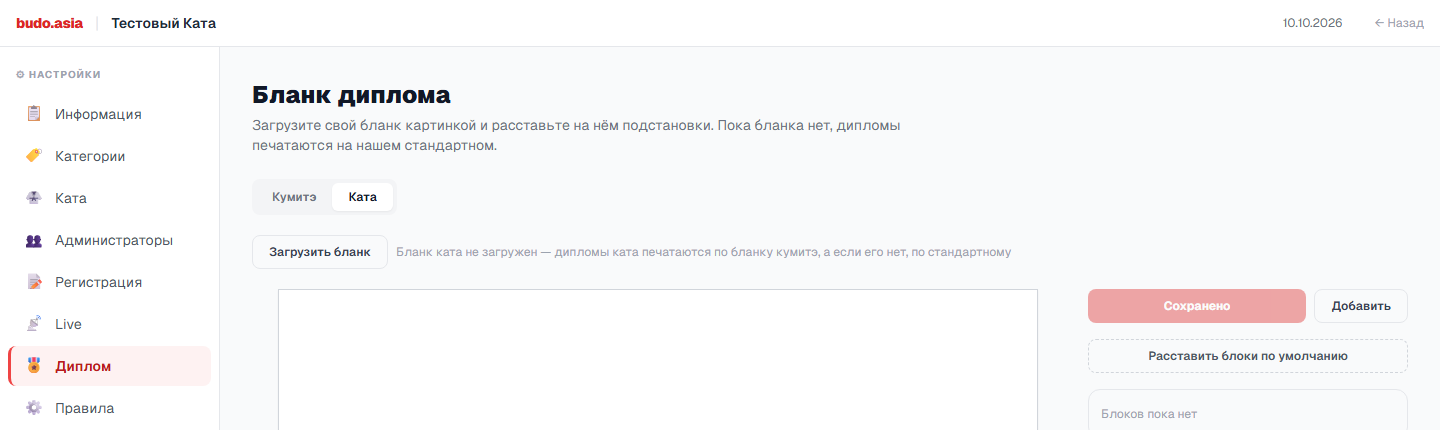
- Upload blank — a picture of an A4 sheet. The platform takes the orientation from the picture itself: portrait or landscape.
- Background lightening and Desaturate — if the blank is bright, lighten it so the text on top stays readable.
- Add — a new block on the sheet. For the selected block choose What to insert: place, athlete name, category, club, country, tournament, city, date or Custom line — fixed text, the same on every diploma.
- Blocks are dragged with the mouse; font size, colour, alignment, bold, italic and capitals are set on the right. Delete block removes the selected one.
- Place default blocks — a ready layout of the main fields, a convenient starting point.
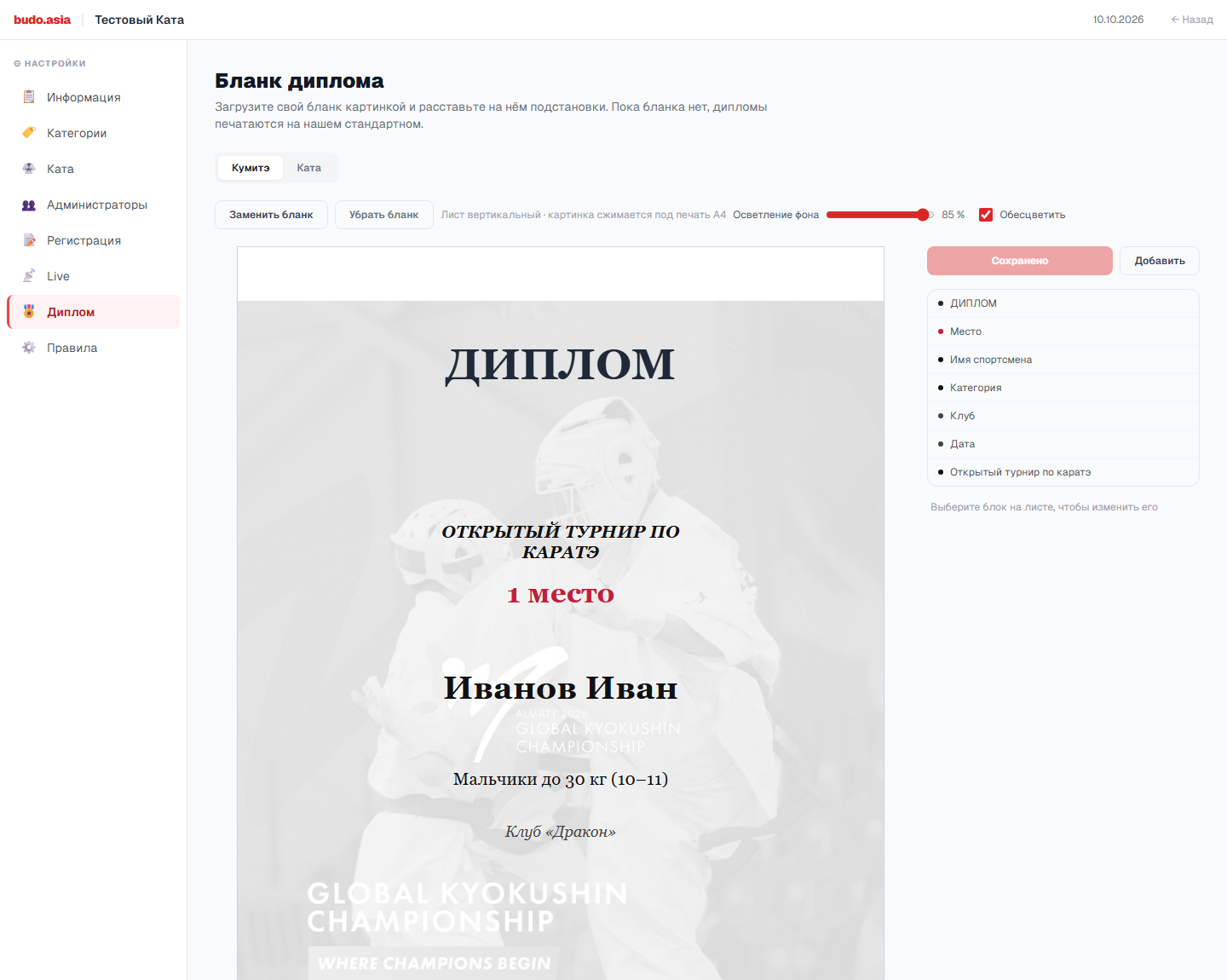
Click Save — printing switches to the new blank right away. The name and category on the editor sample are placeholders; the diploma gets the medallist’s data. Remove blank brings back the standard one.
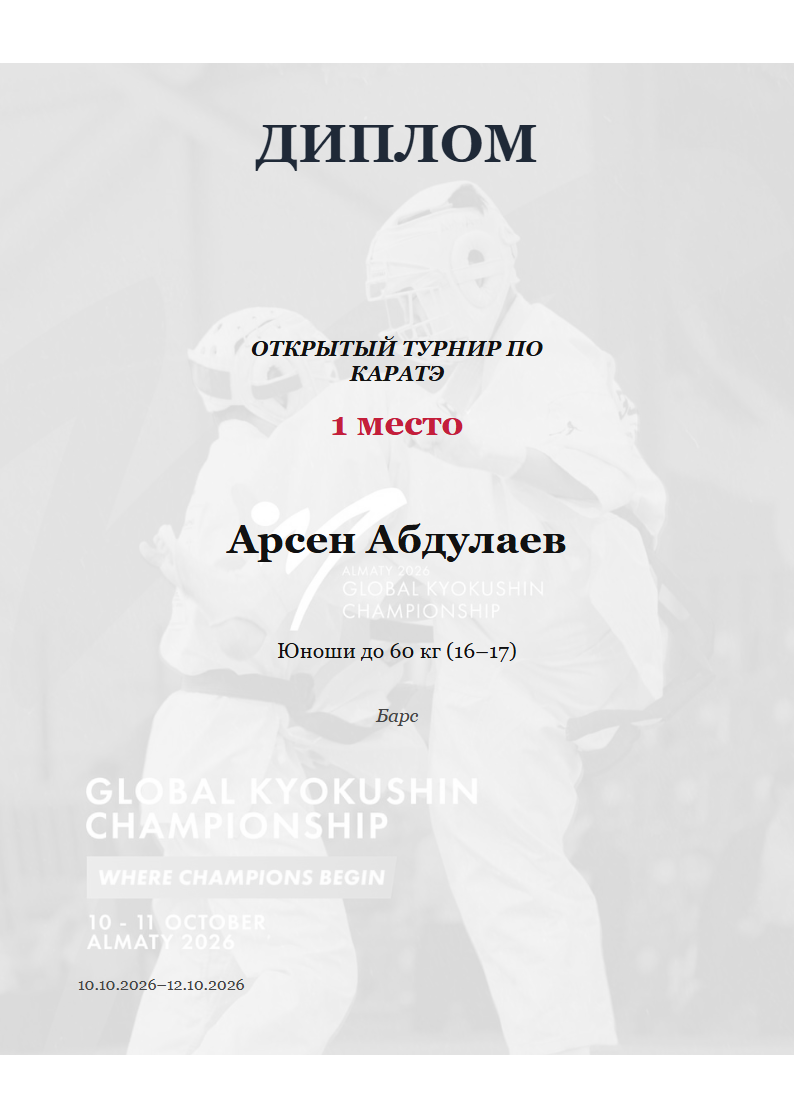
Blank for kata
If the tournament has kata, the editor shows a Kumite / Kata switch: kata can have a blank of its own. It offers three more fields — Team, Final score and Kata. A kata diploma is printed on the kata blank; without one, on the kumite blank; without that, on the standard one. In team kata every team member gets a diploma, with the team name.
Diploma language
If International tournament is ticked in Settings → Information, diplomas are printed in English: names in Latin letters, category names in English. Otherwise they are printed in the language the account is open in, with names as they were entered at registration.
Diplomas at the tatami
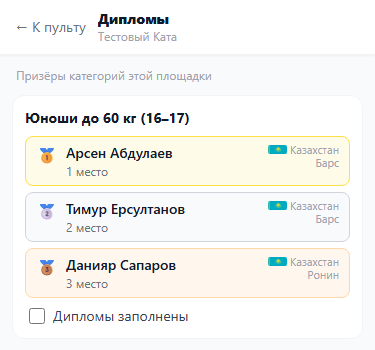
If diplomas are filled in by hand right at the tatami, the tatami secretary can do it. The judging console has a Diplomas button: it opens the medallists of the categories judged on this tatami, with place, club and country. When the diplomas of a category are filled in, the secretary ticks Diplomas filled in. The mark is shared with the account: on Certificates the category shows as printed, and the other way round. Judge links are described in Judge access.