
Documentation
Getting Started
For Organizers
For judges
For Coaches / Clubs
For Athletes
Tournament day plan
Lay out categories across tatamis and sessions in a couple of minutes: the plan shows roughly how long each tatami will take, and sessions are switched with one button during the day.
When to build the plan
The plan is built from the finished draw and before the tournament starts — before the first bout or performance is called. The number of bouts comes from the brackets: round robin and single elimination give different numbers, and the bout for 3rd place is counted if there is one. While any category with participants has no draw, you can view the plan but not apply it.
Open the wizard
On the Admin panel → Controllers page there is a “Day plan” card. Click “Distribute across tatamis”.

Session split rule
A session is the part of the day when one set of categories is on the tatamis; there is usually an award ceremony between sessions. Choose the order:
- Kata first, then kumite (or the other way round) — two sessions, one for each type.
- One session — kata and kumite run at the same time on different tatamis.
The “Age” block splits kata, kumite or both in half by age — for example, to let the children go home earlier. The checkboxes are independent: you can split only kata and run kumite as one session. The direction is “younger first” or “older first”. A category without an age goes to the second half and is marked “no age”.
Tatamis
If a tatami has its own kata or kumite judging team, reserve it for that type. “Any” lets the plan choose. In every session a tatami has only one type.
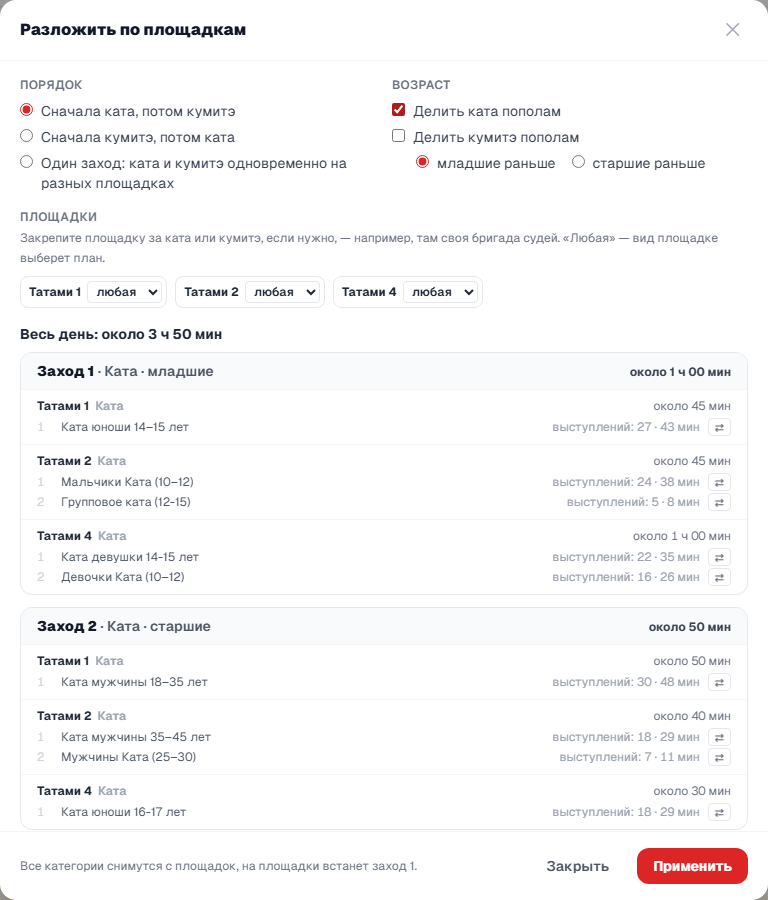
What the preview shows
For each session — the tatamis and categories in order, the number of bouts or performances and the approximate time. Categories are spread so that the tatamis finish at about the same time, longer ones go first. The time is an estimate based on past tournaments, so it is rounded to five minutes.
Move a category manually
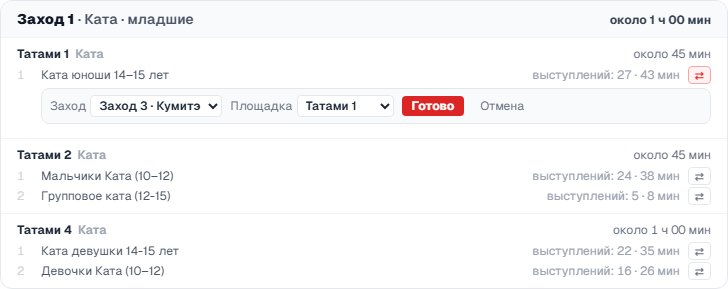
The ⇄ button to the right of a category opens the move form: choose the session and the tatami (“automatic” lets the plan pick the tatami) and click “Done”. A moved category is marked “manual”, and the others are laid out around it. “undo” cancels one move, “Undo moves” cancels all of them. Changing the split rule also cancels the moves.
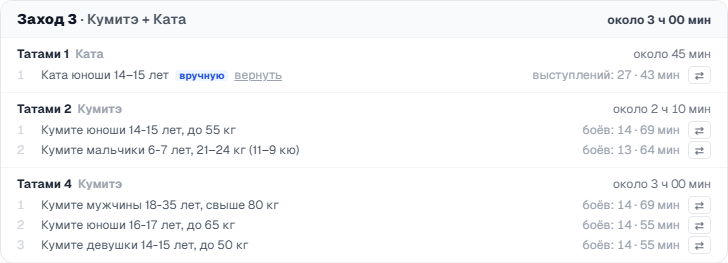
Apply the plan
“Apply” removes all categories from the tatamis and places the categories of the first session. The rest wait for their turn: in the “Categories without tatami” list they are marked “session N”.
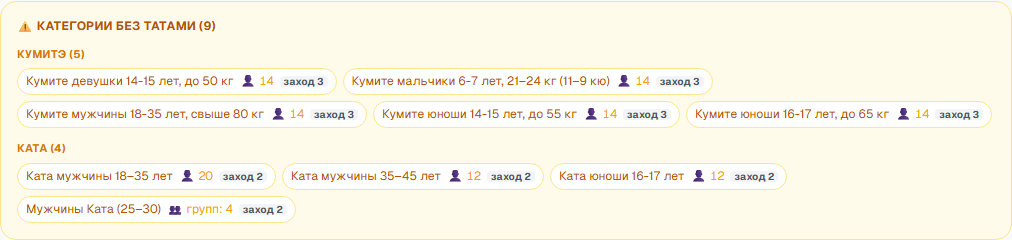
Run the day by sessions
The “Day plan” card shows the sessions: which one is in progress, which are waiting and how many bouts and performances are left. When a session is over, click “Start session N” — its categories are placed on the tatamis and the previous ones are removed. Results, the bout log and the certificates of the previous categories stay in place. If the session still has bouts or performances that have not been judged, you will be asked to confirm.
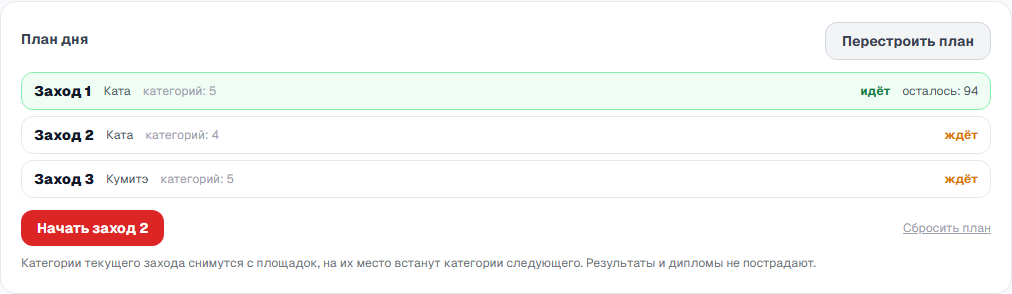
Before the first call the plan can be rebuilt with “Rebuild plan”. Once the day has started, only the sessions change. “Reset plan” forgets the sessions, and the categories stay on their tatamis.